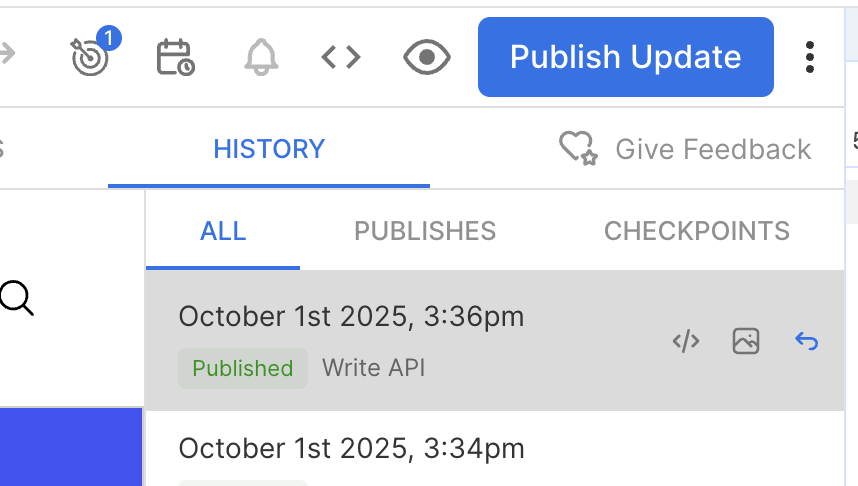
I am working on a feature where we want to update some of our content using the Write api with PATCH so that other content is not overriden. After the call is made I can see it in the page’s history and I can see the changes on the live page, but the editor shows Publish Update as if there are unpublished draft changes. Why is that?
When using the Write API with PATCH to update content, the changes are applied immediately and are visible on the live page, which explains why you can see them in the page’s history and on the live site. However, the Builder editor may still show “Publish Update” for a couple of reasons:
Draft vs. Published State: Even though the changes are live, the editor tracks the draft state separately. Partial updates via PATCH can leave the draft in a state that the editor interprets as unpublished changes.
Field-level Updates: If only certain fields are updated, the editor may detect differences between the draft and the last published version, triggering the “Publish Update” indicator.
If your goal is to update published content entries without immediately publishing changes or reverting the entry back to draft, you can use the autoSaveOnly=true query parameter with a PUT request.
By default, when sending a PUT request to update a published entry, the updates are applied and published right away—even if the published field is not included in the payload. Using autoSaveOnly=true allows you to:
Keep the live published content unchanged.
Store the updates as an auto-save in the background.
Review and manually publish the changes later through the Builder visual editor.
Ok thanks! My goal is to have these changes published immediately. So sounds like PATCH is the correct method to use, it does publish the changes, but it just might not display that on the publish button correct?
Yes, you’re correct — using PATCH does publish the changes right away. The content is live, but the Publish button may continue to show a “Publish update” status because of the auto-save state.
We’ll investigate this behavior further and work on improving the status handling.